Everything on your mind, calmly placed.
Say it all, messy. Mornel turns it into a day you can actually keep, with focus that feels like a quiet room, a journal that remembers how you felt, and a little companion that's all yours.
On Android? It's coming soon. Leave your email and we'll send one note the day it lands.
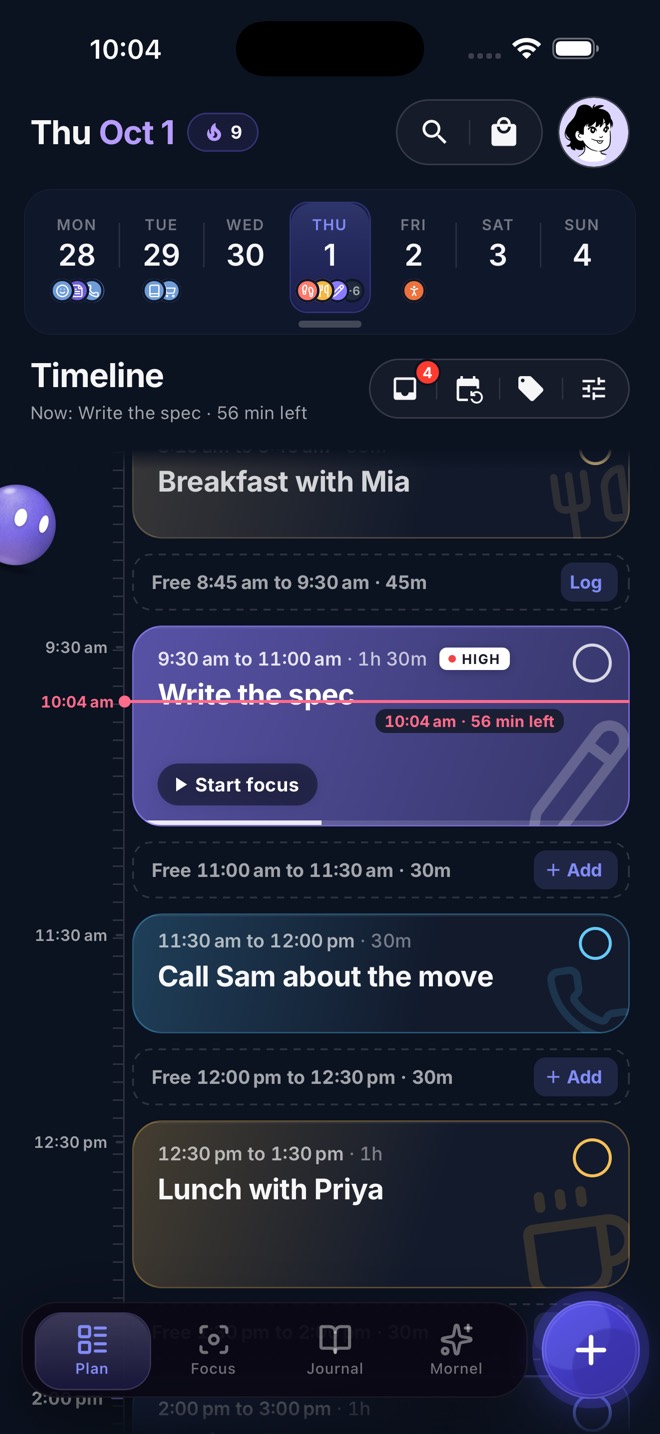
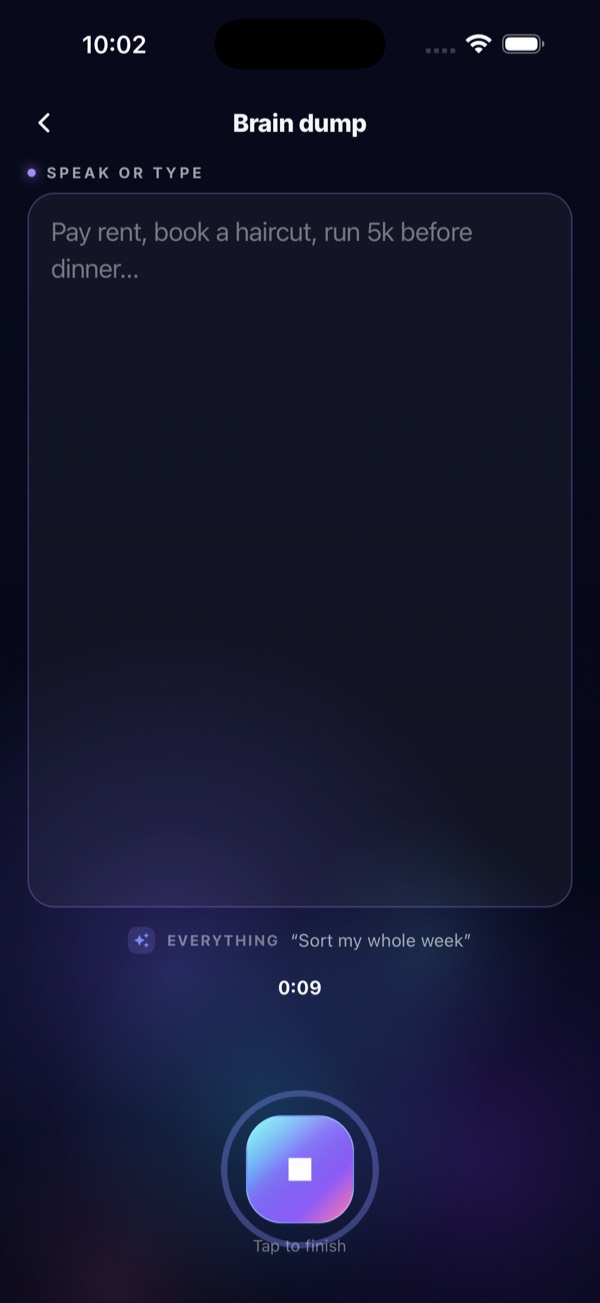
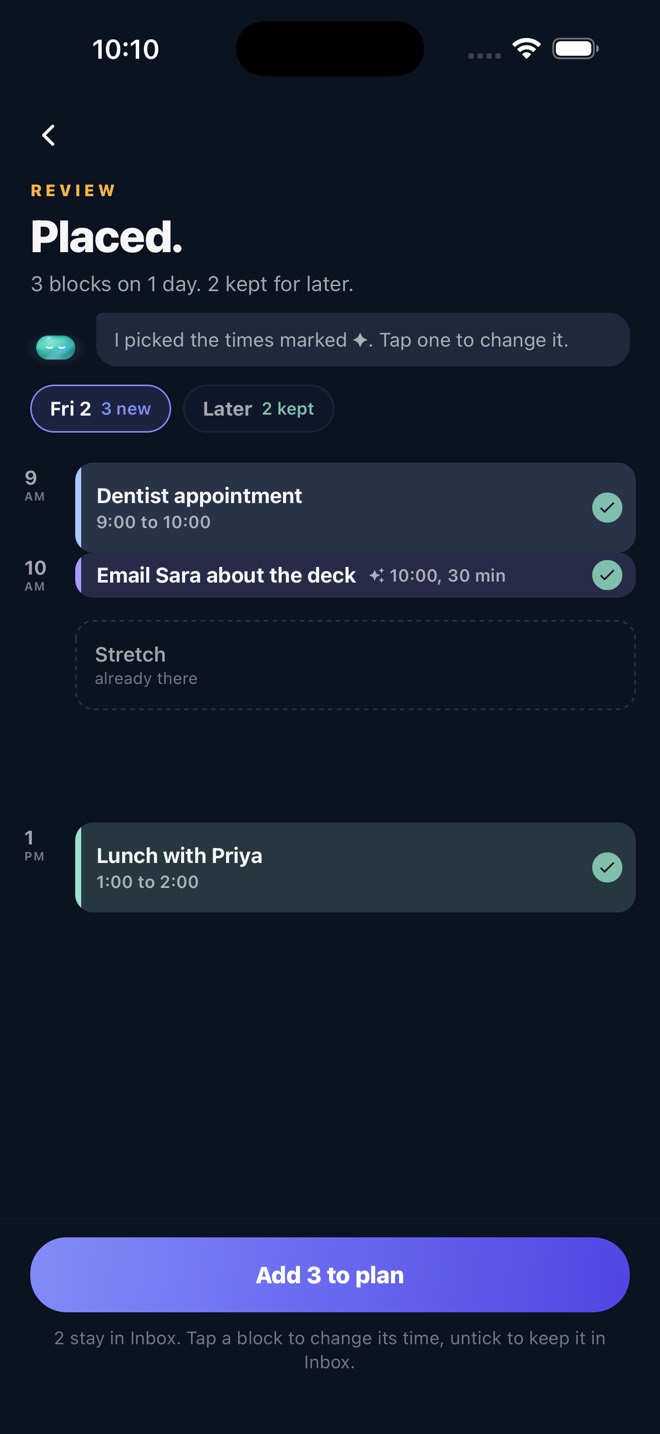
From noise to a plan in seconds.
No setup, no fiddly forms. Talk like you would to a friend and Mornel does the sorting.
01 Say it all
Hold the button and empty your head. Errands, ideas, worries, all of it.
02 Placed
Everything gets a time that fits around your calendar. Free time stays free.
03 Live your day
Focus when it counts, tick things off, and let the evening wrap-up carry the rest.
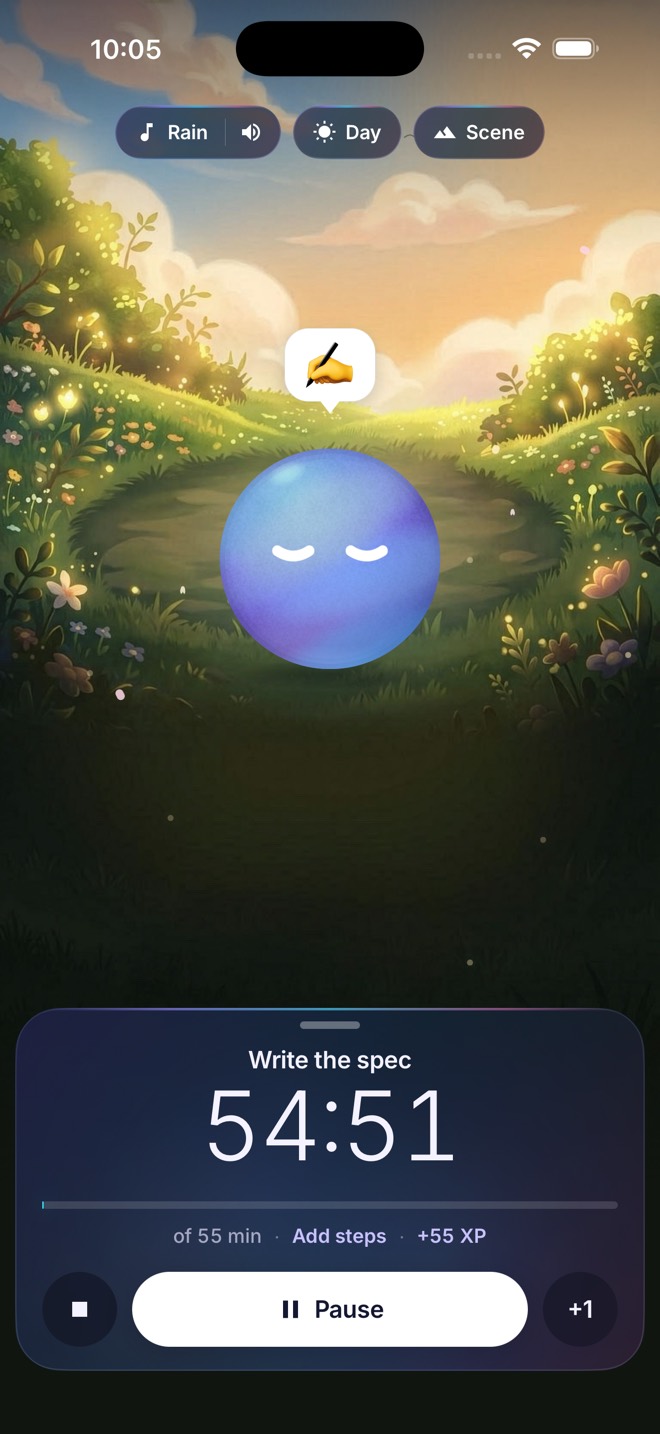
Step into a quieter room.
Painted scenes, soft soundscapes and your pet keeping you company. Your session lives on the Lock Screen, so your phone stays face down.
- Start from any block
- Save your usual sessions
- Live on the Lock Screen
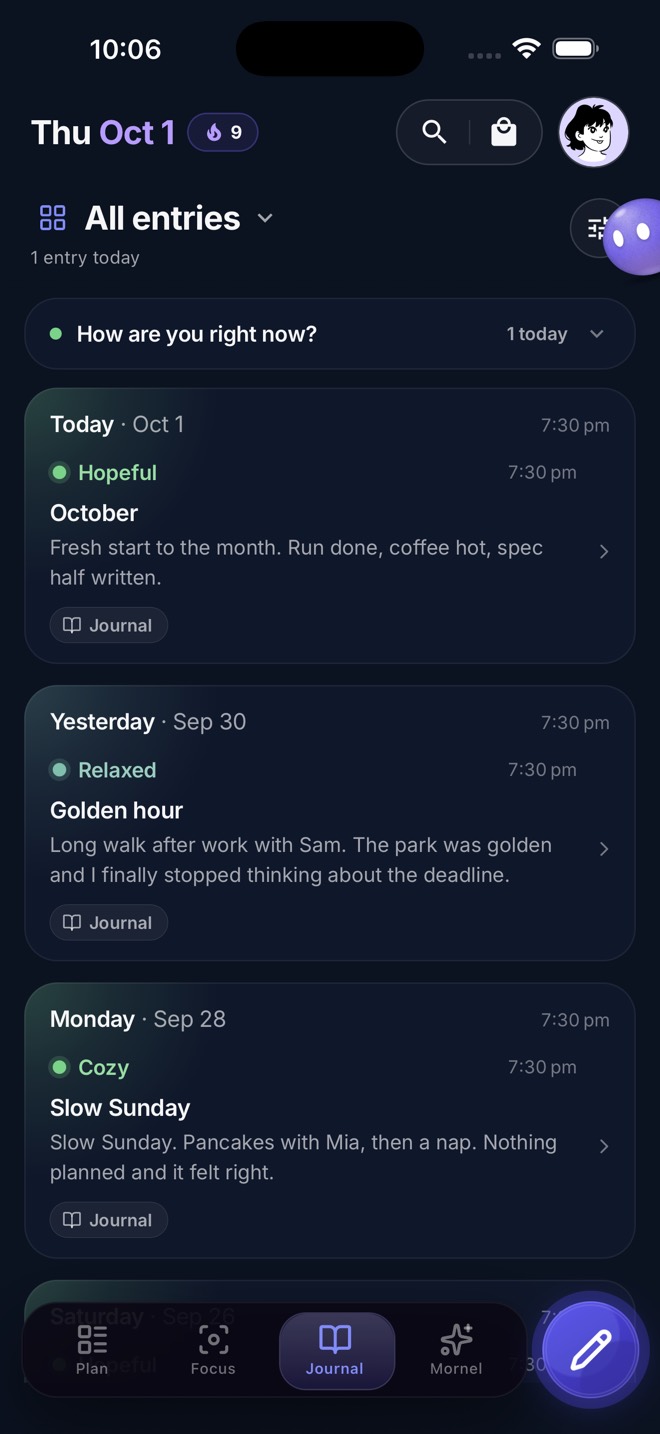
One card a day, in the colour you felt.
Write or just talk. Check in on a feeling map in one tap, and watch your days glow with how they really went.
- Dictation that keeps it all
- Mood on a feeling map
- Photos in your entries
A little friend that's all yours.
Pick a shape, a colour and a skin. Your pet roams your screens, cheers you on and reacts to how your day goes. Try it here.
Colour
Shape
Skin
Extras
Thoughtful all the way down.
Evening wrap-up
Close the day in a minute. What's left moves to tomorrow, gently.
Plan with friends
Shared tags put the same plan on everyone's day.
Widgets
Your next block and your pet, right on the Home Screen.
Live Activity
Focus and your current block on the Lock Screen.
Six languages
English, Español, Deutsch, Français, Português and 日本語.
Works with your AI
Connect Mornel to Claude, ChatGPT and other assistants that support MCP.
Plan your day from any AI chat.
MCP (Model Context Protocol) is an open standard that lets AI assistants use your apps safely. Connect Mornel once and your assistant can see your day, add plans, tick things off and write in your journal. It always shows you what it will change and asks first.
Open your assistant's connectors or integrations settings.
Add a custom connector with this address:
https://api.mornel.app/mcpSign in to Mornel and allow access. That's it.
Works with assistants that support MCP connectors, such as
Custom connectors may need a paid plan in some assistants. Mornel never shares your data with an assistant until you connect it, and you can disconnect any time.
Free to start. Pro when you want more.
Mornel
- Brain dump and smart placing
- Plan, focus and journal
- Your own pet
- Widgets and Live Activity
Mornel Pro
- Everything in Free
- Every soundscape and Pro scene
- Special pet shapes
- More reminder sounds
Clear your head. Keep your day.
Mornel is free on the App Store for iPhone.